Authorization
Fluidd supports JWT authorization through Moonraker's authentication endpoints.
API Keys
Moonraker stores API keys in its internal database. To retrieve your API key:
- From a trusted client, navigate to
http://{moonraker-host}/access/api_key - Or run
~/moonraker/scripts/fetch-apikey.shon the host machine
Setup
-
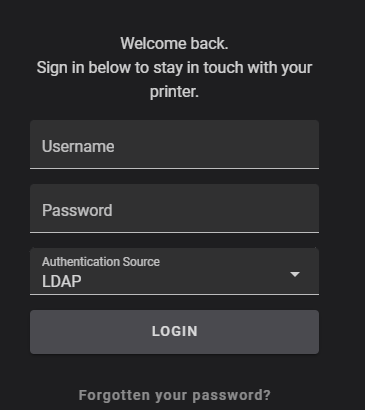
Add a new user with Fluidd, after which time you'll be prompted for authorization.
-
If you are not prompted, add
force_loginsto your moonraker configuration. After restarting Moonraker, add a user.
Understanding forced logins
The force_logins setting controls how Moonraker handles authentication:
force_logins |
Users defined? | Behavior |
|---|---|---|
false |
— | Relies on trusted_clients first |
true |
No | Falls back to trusted_clients |
true |
Yes | Ignores trusted_clients, requires authentication |
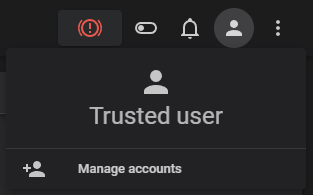
A fresh installation has your client trusted by default. You can confirm this by checking your currently authenticated user.
Lost password?
Lost your only password? You need to revert to a trusted setup. You can do this
by editing your moonraker.conf and turning force_logins to false.
LDAP Configuration
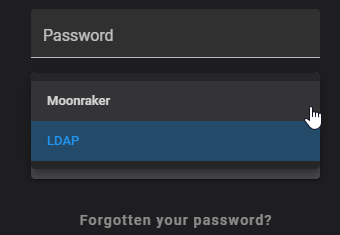
Need central authorization? Configure LDAP to include your authentication server.
Remove trusted_clients: from [authorization] to force authentication.
You can also modify default_source to change the default login interface to
ldap.
The secrets file should be stored in a separate directory from moonraker.conf
for security (e.g. ~/klipper_secure/moonraker_secure.json).
[secrets]
secrets_path: ~/pathto/moonraker_secure.json
# For security reasons this file must be located in a different
# folder than `moonraker.conf`.
# ~ e.g. ~/klipper_secure/moonraker_secure.json

[ldap]
ldap_host: xxx.xxx.xxx.xxx or fqdn
#   The host address of the LDAP server.  This parameter must be provided
ldap_port: 636
#   The LDAP server's port.  The default is 389 for standard connections
#   and 636 for SSL/TLS connections.
ldap_secure: True
#   Enables LDAP over SSL/TLS. The default is False.
base_dn: DC=example,DC=local
#   The base distinguished name used to search for users on the server.
#   This option accepts Jinja2 Templates, see the [secrets] section for details.
#   This parameter must be provided.
bind_dn: {secrets.ldap_credentials.bind_dn}
#   The distinguished name for bind authentication.  For example:
#       CN=moonraker,OU=Users,DC=ldap,DC=local
#   This option accepts Jinja2 Templates, see the [secrets] section for
#   details.  By default the ldap client will attempt to bind anonymously.
bind_password: {secrets.ldap_credentials.bind_password}
#   The password for bind authentication. This option accepts Jinja2 Templates,
#   see the [secrets] section for details.  This parameter must be provided
#   if a "bind_dn" is specified, otherwise it must be omitted.
group_dn: CN=exampleGroup,OU=exampleOU,DC=example,DC=local
#   A group distinguished name in which the user must be a member of to pass
#   authentication.  This option accepts Jinja2 Templates, see the [secrets]
#   section for details. The default is no group requirement.
is_active_directory: True
#   Enables support for Microsoft Active Directory.  The default is False.
moonraker_secure.json
{
  "ldap_credentials": {
    "bind_dn": "CN=bindUser,CN=Users,DC=example,DC=local",
    "bind_password": "password"
  }
}