System & Notifications
Manage your host machine, services, and stay informed about issues that need attention.
System
The System page gives you an overview of your host machine and the services running alongside Klipper.
From here you can:
- View system information — hostname, operating system, CPU and memory usage.
- Manage services — start, stop, or restart Klipper, Moonraker, and other registered services.
- Manage the Moonraker database — back up and restore your Moonraker database, or clear individual namespaces when troubleshooting. Click Create Backup to have Moonraker create a backup on the host, and Restore to select and restore from an existing backup.
Peripherals
The System page can detect and display connected hardware peripherals. This is useful for verifying that devices are recognized without needing to SSH into your host:
- USB devices
- Serial devices
- CAN bus devices
- V4L2 video devices
- Libcamera devices
Power devices
Moonraker configuration required
Power device controls require Moonraker's [power] component to be
configured. See the
Moonraker power documentation
for setup details and supported device types.
When configured, Fluidd displays power device controls on the dashboard and in the top navigation bar. You can toggle devices on and off directly from the UI.
Notifications
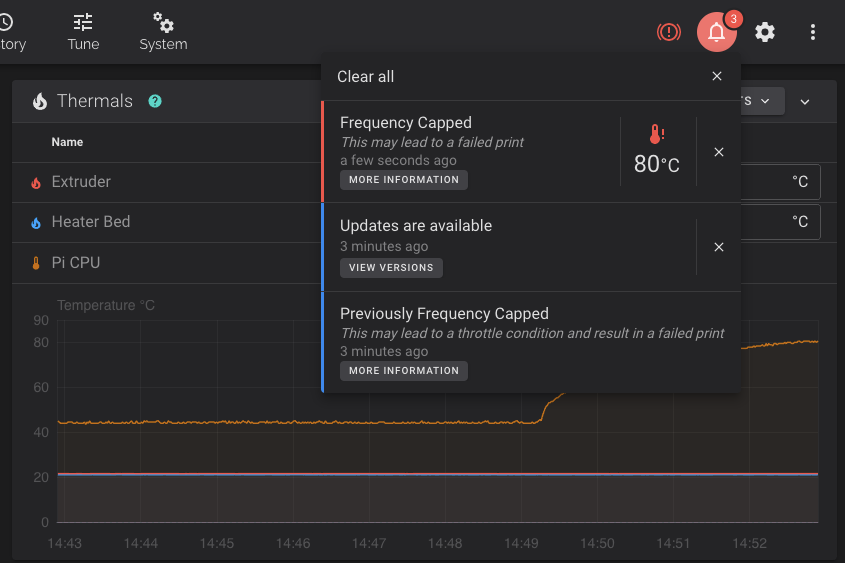
Fluidd has a built-in notification system that warns you of potential issues:
- Pending updates — shown when Klipper, Moonraker, Fluidd, or other components have updates available.
- Throttle conditions — fires when the host reports throttling (e.g.
undervoltage or thermal throttling on a Raspberry Pi via
vcgencmd). - Moonraker announcements — important messages from the Fluidd developers
and maintainers, delivered via the
[announcements]Moonraker component. - Failed components — if a Moonraker component fails to load, Fluidd displays a warning with the component name and error details.