Thermals
Fluidd displays real-time temperature data for all heaters, fans, and sensors configured in Klipper.
Chart
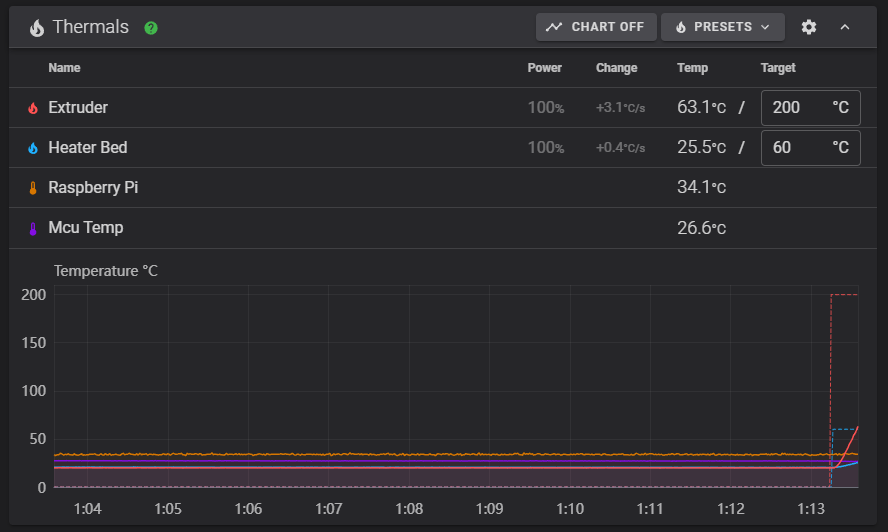
Fluidd's thermals chart shows temperatures and power applied to heaters and fans in real time.
- Click a heater, sensor, or fan name to toggle its visibility.
- Click the power value to toggle power graph visibility.
- Hold Shift and scroll the mouse wheel over the chart to zoom.
Presets
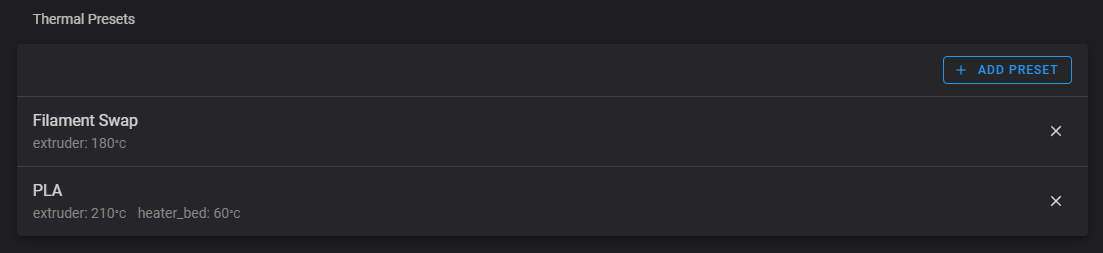
Fluidd supports custom thermal presets — saved temperature profiles you can apply with one click. Configure your presets in the UI Settings page.
Sensors
Fluidd displays any temperature sensor that Klipper exposes. Below are the two most common built-in sensor types.
Host temperature (Raspberry Pi)
[temperature_sensor raspberry_pi]
sensor_type: temperature_host
min_temp: 10
max_temp: 100
MCU temperature (ATSAM, ATAMD, STM32)
Environmental sensors
Klipper supports a wide range of I2C temperature, humidity, and pressure sensors — including AHT10/20/30, BME280/680, BMP180/388, SHT3X, HTU21D, LM75, and more. Fluidd displays these automatically when configured. For setup details, refer to the Klipper temperature sensor documentation.
MPC (Kalico)
If you are running Kalico with MPC
(Model Predictive Control) configured for your extruder, Fluidd shows an
MPC_CALIBRATE button in the thermals card.